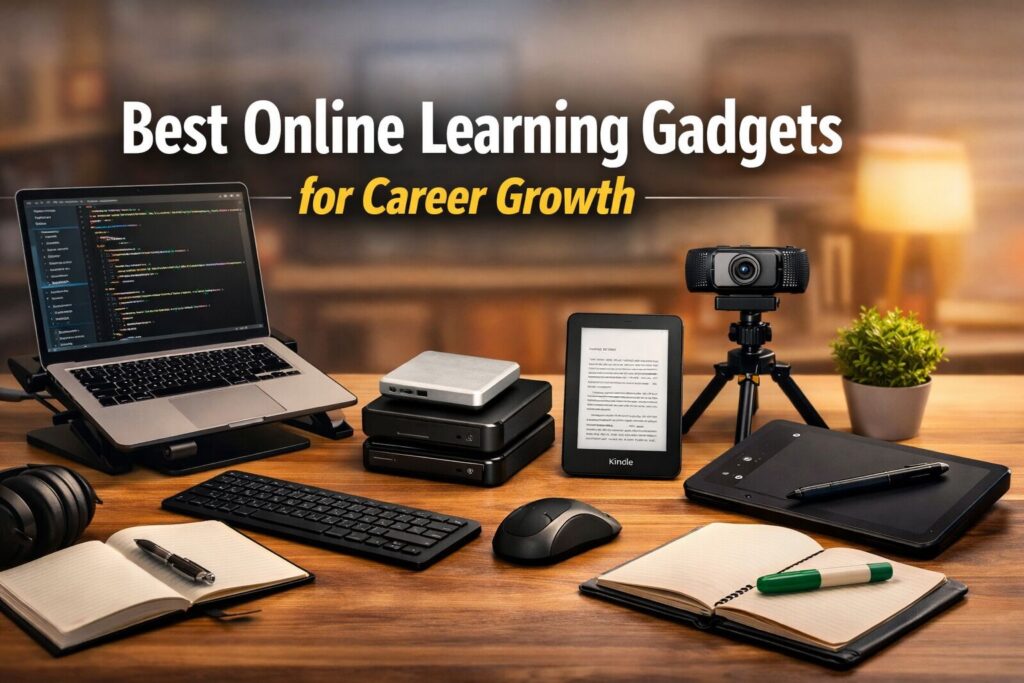
Discover the best online learning gadgets for career growth that help students and professionals improve focus, productivity, and long-term skill development.
Why the Right Online Learning Gadgets Matter for Career Growth
In today’s fast-moving digital world, career growth no longer depends only on degrees. It depends on skills, consistency, and the ability to learn faster than others. Whether you are a student preparing for competitive exams, a job seeker upgrading your resume, or a working professional learning new digital skills, the right gadgets can dramatically improve your learning speed and productivity.
Online learning has become the new normal. From attending virtual classes and watching skill-based tutorials to preparing presentations and giving online interviews, everything now happens digitally. But many people struggle not because they lack motivation — they struggle because they don’t have the right tools.
A slow laptop, poor audio quality, uncomfortable seating posture, or eye strain from bad lighting can reduce focus and waste hours every day. On the other hand, smart study gadgets can:
- Improve concentration
- Increase learning efficiency
- Reduce physical strain
- Help you stay consistent
- Make you look professional in interviews and meetings
This guide covers the best online learning gadgets for career growth that students and professionals can use to upgrade their study setup. These tools are practical, easily available online, and designed to support long study hours, online courses, certifications, remote work, and skill development.
If you are serious about growing your career in 2026 and beyond, building a smart learning setup is not a luxury — it is an investment.
Let’s start with the most important foundation of online learning.
Disclosure: Some of the links in this article are affiliate links. This means we may earn a small commission if you purchase through these links, at no extra cost to you. This helps us keep our content free and regularly updated.
Laptop – The Foundation of Online Learning
A laptop is the single most important gadget for online learning and career growth. While smartphones are useful for quick access, serious learning, professional work, certifications, coding, designing, video editing, and online interviews require a reliable laptop.
If you truly want to build skills that increase your income, a good laptop is not an expense — it is a long-term investment.
Why a Laptop Is Essential for Career Growth
- Comfortable multitasking (video + notes + research together)
- Better typing speed for assignments and projects
- Smooth video conferencing for interviews and meetings
- Ability to install professional software
- Long study sessions without strain
Students preparing for exams, digital marketers, programmers, designers, video editors, content creators, and remote workers all depend heavily on laptop performance.
Recommended Specifications (For Most Learners)
You don’t need the most expensive model. Choose based on your career goal:
For Students & Basic Skill Learning
- Intel i3 / Ryzen 3 processor
- 8GB RAM
- 256GB SSD
- 14–15.6 inch display
For Coding, Designing & Advanced Work
- Intel i5 / Ryzen 5 or higher
- 16GB RAM (recommended)
- 512GB SSD
- Full HD display
SSD storage is very important because it makes the laptop fast and responsive.
Best Budget & Student-Friendly Laptops
If you are a student or beginner starting your online learning journey, you do not need an expensive laptop. A mid-range laptop with 8GB RAM and SSD storage is more than enough for online classes, MS Office work, browsing, practice tests, and basic skill learning.
Here are some reliable and commonly available laptop options on Amazon that fit student needs:
- BrowseBook 14.1″ FHD IPS Laptop
- HP 15s, AMD Ryzen 3 5300U
- Lenovo IdeaPad Slim 3 13th Gen Intel Core i3-1315U
- Lenovo IdeaPad Slim 3 15ABR8
- ASUS Vivobook 14 (2025),13th Gen, Intel Core i3-1315U
- ASUS Vivobook 15 (2025), 13th Gen,Intel Core i3-1315U
- ASUS Vivobook Go 15, AMD Ryzen 5 7520U
- Acer Aspire 3 Intel Celeron Laptop
- Lenovo V15 G4 AMD Athlon Silver 7120U
- HP 14s Intel Celeron Dual Core N4500
Best Laptops for Coding, Designing & Advanced Work
If you are planning to learn coding, graphic designing, video editing, data analysis, or any advanced digital skill, then you should not go for an entry-level laptop.
Basic laptops work fine for online classes and browsing, but advanced work needs more processing power, better multitasking ability, and faster storage.
For serious skill development, these specifications are recommended:
- Intel i5 / Ryzen 5 processor or higher
- 16GB RAM (strongly recommended)
- 512GB SSD storage
- Full HD display
Let’s understand why these specifications matter.
Why Intel i5 / Ryzen 5 or Higher?
When you run coding software, design tools, or editing programs, your laptop needs more power. A stronger processor ensures:
- Faster software loading
- Smooth multitasking
- Better performance during heavy tasks
- Less lag during compiling or rendering
If you plan to use tools like VS Code, Android Studio, Photoshop, Premiere Pro, AutoCAD, or similar applications, an i5 or Ryzen 5 processor gives a noticeable performance boost.
Why 16GB RAM Is Recommended?
8GB RAM works for basic tasks, but when you:
- Open multiple browser tabs
- Run development software
- Use design tools
- Work on big projects
RAM usage increases quickly.
16GB RAM ensures smoother performance and future-proof usage, especially if you want to grow in technical fields.
Why 512GB SSD Is Important?
Advanced projects take space.
- Coding projects
- Design files
- Video editing files
- Software installations
A 512GB SSD gives enough storage while keeping the system fast. SSD makes your laptop boot quickly and load applications faster compared to traditional hard drives.
Why Full HD Display Matters?
When you are coding or designing, clarity matters.
A Full HD display (1920×1080 resolution):
- Shows sharper text
- Reduces eye strain
- Gives better workspace
- Improves color accuracy for design work
If you are into designing or content creation, display quality becomes even more important.
Who Should Choose This Configuration?
This setup is ideal for:
- Students learning programming
- Web developers
- App developers
- Graphic designers
- Video editors
- Engineering students
- Digital marketing professionals
- Anyone building technical skills
If you are serious about skill-based career growth, investing in a stronger configuration saves you from upgrading again within a year.
Here are 10 Best Laptops for Coding, Designing & Advanced Work — all suitable for those demanding tasks like programming, design tools, editing software and heavy multitasking. These are available on Amazon and fit the recommended specs (Intel i5 / Ryzen 5 or similar with good RAM & SSD)
- HP 15, 13th Gen Intel Core i5-1335U
- Lenovo IdeaPad Slim 3 12th Gen Intel Core i5-12450H 15
- ASUS Vivobook Go 14, AMD Ryzen 5 7520U
- ASUS Vivobook Go 15, AMD Ryzen 5 7520U
- Lenovo IdeaPad Slim 3, AMD Ryzen 5 5625U
- acer Professional14, AMD Ryzen5 7430U
- Samsung Galaxy Book4 i5 1335U
- Lenovo IdeaPad Slim 5, AMD Ryzen 5 7535HS
- acer Aspire Lite, 12th gen, Intel Core i5-12450H
- Lenovo IdeaPad Slim 3 15IAH8 Intel Core i5 12th Gen
Who Should Invest More?
- If you are preparing for IT jobs → Invest in higher RAM
- If you are learning video editing → Invest in better processor
- If you are preparing for government exams → Mid-range laptop is enough
Buying the right laptop saves time, increases productivity, and makes online learning smooth.
Noise Cancelling Headphones – For Deep Focus Study
One of the biggest challenges in online learning is distraction. Background noise from traffic, family conversations, construction sounds, or TV can seriously reduce concentration. This is where noise cancelling headphones become a powerful productivity tool.
If you want to study deeply, attend online classes clearly, or prepare for interviews without disturbance, good headphones can make a noticeable difference.
Why Headphones Matter for Career Growth
- Better focus during online courses
- Clear audio in webinars and certifications
- Professional sound quality in interviews
- Improved concentration during long study hours
- Less mental fatigue from repeated listening
When audio is clear, your brain processes information faster. This improves retention and reduces frustration.
Recommended Types
1. Active Noise Cancelling (ANC) Headphones
Best for working professionals, remote workers, and people living in noisy environments.
Example:
2. Budget Over-Ear Headphones
Good for students preparing for exams or watching online lectures.
Example:
These models are commonly available on Amazon in different price ranges.
Wired vs Wireless – What Should You Choose?
- Wired → Budget-friendly, no battery issue
- Wireless → More comfortable, less cable mess
- ANC models → Best for serious focus
If your budget allows, investing in good quality headphones can significantly improve your study efficiency.
Pro Tip
Use headphones even when studying recorded lectures at 1.25x speed. It improves clarity and helps you complete courses faster.
External Webcam – For Online Interviews & Professional Presence
In today’s digital hiring world, your first impression often happens on a screen. Whether it is a job interview, client meeting, online presentation, or certification viva, video quality matters more than most people realize.
Many laptop built-in cameras offer average or low video clarity. A dedicated external webcam can instantly upgrade your professional image and make you look confident and serious about your career.
Why a Good Webcam Is Important
- Clear video during job interviews
- Professional appearance in meetings
- Better lighting and sharper image quality
- Stable positioning at eye level
- Improved confidence during speaking
When your video looks clear and well-framed, recruiters subconsciously perceive you as more prepared and professional.
Recommended Webcam Options
Reliable and commonly available choices include:
- Logitech C270 HD Web Camera – Good for students and beginners
- Logitech C920 HD Pro Webcam – 1080p – Excellent Full HD quality for professionals
- Zebronics FHD USB Webcam – Budget-friendly option
- Lenovo 300 FHD Webcam – Full HD clarity with good build quality
These webcams are widely sold on Amazon in different price ranges.
What Specifications Should You Look For?
- Minimum 720p resolution (HD)
- Prefer 1080p (Full HD) for interviews
- Built-in microphone (optional but helpful)
- Plug-and-play USB connectivity
Who Should Invest in a Webcam?
- Job seekers attending online interviews
- Freelancers meeting clients
- Teachers or trainers conducting classes
- Students giving online presentations
A small investment in a quality webcam can significantly improve your professional presence and career opportunities.
Kindle Paperwhite – For Serious Skill Development Reading
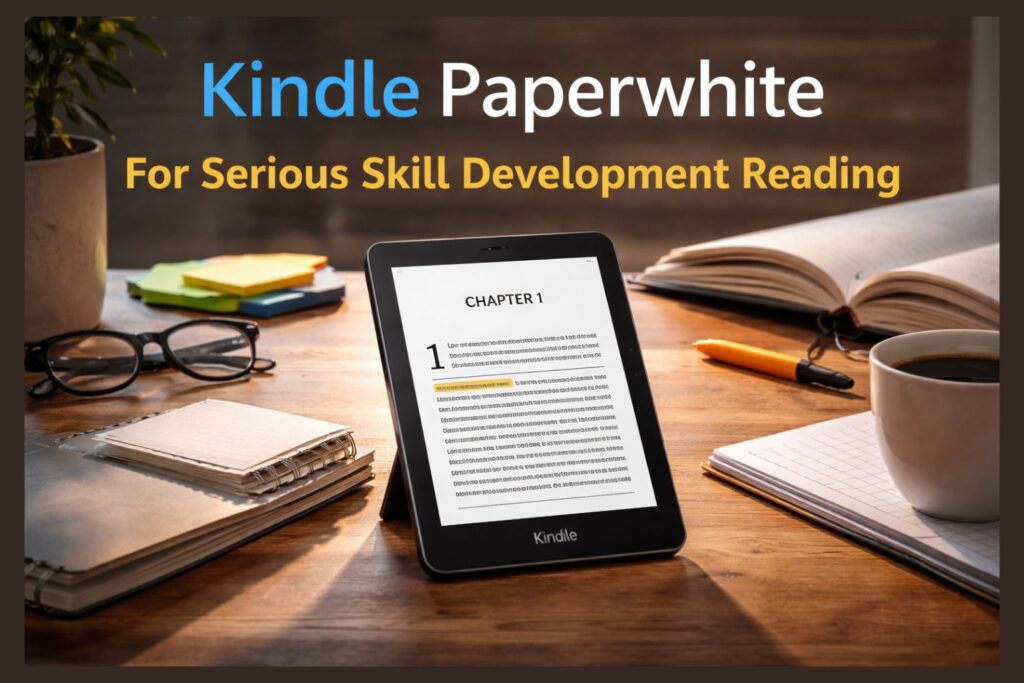
Continuous reading is one of the strongest habits of high achievers. Whether you want to improve communication skills, learn business strategies, understand technology trends, or build financial knowledge, books remain one of the most powerful learning tools.
A dedicated e-reader like the Kindle Paperwhite makes reading more convenient, portable, and distraction-free compared to reading on a phone or laptop.
Why Kindle Is Better Than Reading on Mobile
- No social media distractions
- E-ink display reduces eye strain
- Adjustable warm light for night reading
- Lightweight and easy to carry
- Battery lasts for weeks
Unlike smartphones, Kindle is designed only for reading. That means no notifications, no pop-ups, and no unnecessary interruptions.
How Kindle Supports Career Growth
- Helps build daily reading habit
- Easy access to business and self-development books
- Useful for exam preparation
- Ideal for professionals who travel
- Stores thousands of books in one device
If you are serious about long-term career growth, consistent reading is non-negotiable. Kindle makes it practical and comfortable.
Who Should Buy a Kindle?
- Students preparing for competitive exams
- Working professionals upgrading skills
- Entrepreneurs learning business strategy
- Anyone who reads more than 3–4 books per year
If you regularly invest in books, Kindle becomes cost-effective over time.
Pro Tip
Use Kindle for non-fiction, skill-based books, and professional development reading. For technical PDFs or heavy graphic content, a laptop works better.
Adjustable Laptop Stand – For Comfort & Long Study Hours

Many students and professionals ignore posture while studying or working online. Sitting for long hours with a laptop placed flat on a desk can cause neck pain, back pain, and shoulder strain. Over time, this reduces productivity and even affects health.
An adjustable laptop stand is a simple but powerful gadget that improves comfort and supports long, focused study sessions.
Why a Laptop Stand Is Important
- Raises screen to eye level
- Reduces neck and back strain
- Improves posture
- Enhances airflow to prevent overheating
- Makes long study sessions more comfortable
Good posture directly impacts concentration and energy levels. When your body feels comfortable, your mind stays focused longer.
Popular Laptop Stand Options
Some reliable and commonly available options include:
- Amazon Basics Laptop Stand with Cooling Fan
- Portronics My Buddy K9 – Portable Laptop Stand
- ZEBRONICS NS4000 PRO Rotatable Laptop Metal Stand, Upto 17 inch, 360° Fidget Rotation
- acer Ergo Multifunction Monitor & Laptop Stand
These are available in different materials like plastic and aluminum, depending on budget and preference.
Who Should Definitely Buy One?
- Students attending long online classes
- Programmers and designers
- Content creators
- Remote workers
- Anyone studying more than 2 hours daily
Pro Tip for Better Setup
For maximum comfort:
- Combine laptop stand + external keyboard + mouse
- Keep screen at eye level
- Maintain straight back posture
Small ergonomic improvements can increase productivity more than you expect.
LED Study Lamp – Protect Your Eyes & Improve Focus
Lighting plays a major role in productivity, but it is often ignored. Poor lighting causes eye strain, headaches, and reduced concentration — especially during long evening study sessions.
A good LED study lamp provides focused illumination, protects your eyes, and helps maintain consistent energy levels while studying or working online.
Why Proper Lighting Matters for Career Growth
- Reduces eye fatigue during long screen time
- Improves focus and reading clarity
- Supports late-night study sessions
- Creates a professional study environment
- Enhances overall productivity
When lighting is balanced and soft, your brain stays alert without feeling tired quickly.
Recommended LED Study Lamps
Some reliable and widely available options include:
- Philips Air Desk Light
- Wipro 8W Rechargable LED Table Lamp
- Havells 6W 3-in-1 Colour Rechargeable lamp
- WEIRD WOLF Rechargeable LED Study Table Lamp for Study & Office
These models offer adjustable brightness and flexible neck design for better light positioning.
What Features Should You Look For?
- Adjustable brightness levels
- Warm and cool light modes
- Flicker-free lighting
- Flexible or adjustable neck
- Energy-efficient LED
Avoid very harsh white light. A balanced warm or neutral light is better for long hours.
Who Should Invest in a Study Lamp?
- Students preparing for competitive exams
- Professionals working late hours
- Anyone spending more than 3–4 hours daily on study or laptop work
Proper lighting protects your eyes in the long run and keeps your learning sustainable.
External Keyboard & Mouse – Improve Speed and Comfort
If you study or work on a laptop for long hours, using only the built-in keyboard and touchpad can slow you down. It also affects wrist comfort and typing speed. An external keyboard and mouse setup makes your workspace more professional, comfortable, and efficient.
For students preparing assignments, professionals working on reports, or learners doing coding and content creation, this upgrade can significantly improve productivity.
Why External Keyboard & Mouse Matter
- Faster typing speed
- Better wrist positioning
- More precise cursor control
- Improved posture when used with laptop stand
- Comfortable long-duration usage
When combined with an adjustable laptop stand, this setup creates a mini desktop-style workspace.
Reliable Options Available on Amazon
Some popular and widely available choices include:
- Logitech MK270r Wireless Keyboard and Mouse Combo
- HP KM200 Wireless Mouse and Keyboard Combo
- Dell KB216 Wired Multimedia Keyboard
- Lenovo 300 Wireless Compact Mouse
These products are available in both wired and wireless versions, depending on preference and budget.
Wired vs Wireless – What to Choose?
- Wired → More affordable, no battery issues
- Wireless → Clean desk setup, more flexibility
- Combo sets → Cost-effective option for beginners
Who Should Definitely Use This Setup?
- Students typing long notes or projects
- Coders and programmers
- Bloggers and content creators
- Office professionals working remotely
Improved typing speed and comfort directly increase output, which ultimately supports career growth.
External Hard Drive or SSD – Protect Your Important Data
As you grow in your career, your digital data becomes more valuable. Projects, certificates, resumes, client files, coding work, video edits, and important documents — losing them can cost you time, money, and opportunities.
An external hard drive or portable SSD is a simple but powerful safety tool for every serious learner and professional.
Why Data Backup Is Important for Career Growth
- Protects important certificates and documents
- Secures freelance or client projects
- Prevents data loss from laptop crashes
- Allows safe storage of large files
- Keeps your system storage clean and fast
Many people only realize the importance of backup after losing critical data. A backup device ensures peace of mind.
External HDD vs Portable SSD – What’s the Difference?
External Hard Drive (HDD)
- More storage at lower price
- Good for basic backup
- Slightly slower speed
Portable SSD
- Much faster data transfer
- Compact and durable
- Slightly higher cost
If you work with large files (video editing, design, software development), SSD is the better choice.
Reliable Options Available on Amazon
Some widely available and trusted options include:
- Seagate Expansion 1TB External HDD
- Western Digital WD 1TB
- Samsung T7 Shield Portable SSD 1TB
- Sandisk Extreme Portable 1TB
These models are commonly available in multiple storage capacities like 1TB, 2TB, and more.
Who Should Definitely Buy One?
- Students saving study materials and projects
- Freelancers handling client work
- Professionals storing presentations and reports
- Content creators working with large files
Backing up your data regularly is a habit that protects your career progress.
Smart Notebook or Digital Writing Tablet – Upgrade Your Note-Taking
Note-taking is one of the most powerful learning techniques. Writing improves memory retention, understanding, and clarity of thought. But traditional notebooks can become bulky and difficult to organize over time.
Smart notebooks and digital writing tablets combine traditional writing comfort with digital convenience. They are especially useful for students, designers, online learners, and professionals who prefer structured notes.
Why Digital Note-Taking Helps Career Growth
- Easy organization of notes
- Faster revision and search
- Paperless and eco-friendly
- Sync options (in some models)
- Ideal for diagrams, formulas, and mind maps
When your notes are organized, your revision becomes faster — and faster revision means better performance.
Popular Options Available on Amazon
Some reliable and commonly available options include:
- One by Wacom CTL-472/K0-CX Digital Drawing Graphics Pen Tablet
- XP-Pen Deco01 V3 Digital Graphics Drawing Pen Tablet
- Rocketbook Erasable, Reusable Wirebound Notebook (Evr-L-R), 32 Pages
- amazon basics Magic Wireless Slate 15-inch LCD Writing Tablet
Who Should Consider Buying This?
- Students preparing for competitive exams
- Designers and digital artists
- Online tutors and teachers
- Professionals who attend many meetings
Should Everyone Buy It?
Not necessarily. If you prefer traditional notebooks and are comfortable with them, you may not need this immediately. But if you want organized, portable, and reusable note-taking, it can be a smart upgrade.
How to Choose the Right Online Learning Gadgets Based on Budget
Not everyone needs to buy everything at once. The smartest approach is to invest step by step based on your career goals, study hours, and budget.
Buying the right gadget at the right time gives better returns than purchasing expensive tools without a clear purpose.
Step 1: Start With the Essentials
If your budget is limited, prioritize in this order:
- Laptop – Core requirement for serious online learning
- Headphones – For focus and clear audio
- Study Lamp – Protects your eyes during long sessions
These three create a strong foundation.
Step 2: Upgrade for Comfort & Productivity
Once your basic setup is ready, improve comfort and efficiency:
- Laptop stand
- External keyboard and mouse
- Webcam (if attending interviews or meetings)
These tools increase professionalism and reduce physical strain.
Step 3: Advanced Productivity & Protection
If you are serious about long-term career growth:
- External hard drive or SSD (data backup)
- Kindle for skill-building books
- Digital writing tablet (if needed for your field)
These are smart long-term investments.
Budget-Based Recommendations
Low Budget Setup (Beginner Students)
- Mid-range laptop
- Wired headphones
- Basic LED lamp
Mid Budget Setup (Serious Learners)
- Laptop with 8–16GB RAM
- Wireless headphones
- Laptop stand + keyboard + mouse
- 1TB external hard drive
Professional Setup (Career-Focused Individuals)
- High-performance laptop
- Noise-cancelling headphones
- Full HD webcam
- Portable SSD
- Kindle for continuous learning
Important Rule Before Buying
Always ask yourself:
- Will this gadget improve my productivity?
- Will it help me learn faster?
- Will it support my career goal?
If the answer is yes, it is an investment — not an expense.
Step-by-Step Career Growth Strategy Using These Gadgets
Buying gadgets alone will not grow your career. The real impact comes when you use them strategically. Here is a simple and practical plan to turn your study setup into a career growth system.
Step 1: Build a Dedicated Learning Environment
Set up your space properly:
- Place your laptop on a stand at eye level
- Use an external keyboard and mouse for comfort
- Keep your LED study lamp adjusted for soft lighting
- Wear headphones during focused sessions
This creates a distraction-free, professional study zone. When your environment feels serious, your mindset becomes serious too.
Step 2: Follow a Structured Learning Routine
Use your laptop for:
- Online courses
- Skill certifications
- Practice assignments
- Resume building
Use your headphones to stay focused and complete modules faster. Avoid multitasking with social media during study hours.
Consistency matters more than intensity.
Step 3: Read Daily for Skill Expansion
Use your Kindle or physical books for:
- Communication improvement
- Industry knowledge
- Productivity and mindset growth
- Financial awareness
Even 20–30 minutes of daily reading compounds into massive career growth over time.
Step 4: Practice & Create Real Projects
Do not just watch tutorials. Use your setup to:
- Create sample projects
- Build presentations
- Practice interviews on webcam
- Record mock speaking sessions
This builds confidence and practical skills.
Step 5: Protect Your Progress
Regularly back up:
- Certificates
- Resume versions
- Projects
- Important documents
Store everything safely in your external hard drive or SSD. Data safety is career safety.
Step 6: Upgrade Gradually
As your skills improve:
- Upgrade laptop performance if needed
- Improve audio or video quality
- Invest in better tools aligned with your profession
Growth is step-by-step. Smart upgrades increase your professional value.
Final Thought for This Section
Technology is a multiplier. When used wisely, it accelerates your learning speed, productivity, and professional image. When ignored, it slows you down.
The goal is not to buy everything — the goal is to build a system that supports consistent improvement.
Common Mistakes to Avoid While Buying Study Gadgets
Buying gadgets for online learning can be exciting, but many people make costly mistakes that reduce the real benefit of their investment. Avoiding these mistakes will help you spend wisely and focus on long-term career growth.
1. Buying Based on Trend Instead of Need
Just because a gadget is popular does not mean you need it.
Before purchasing, ask:
- Does this support my career goal?
- Will I use it regularly?
- Is it solving a real problem?
Smart buyers focus on utility, not hype.
2. Ignoring Specifications
Many people buy a laptop based only on brand name, without checking:
- RAM size
- SSD vs HDD
- Processor generation
- Display quality
For smooth online learning, specifications matter more than brand popularity.
3. Choosing the Cheapest Option Without Checking Quality
Budget matters, but extremely cheap gadgets may:
- Break quickly
- Offer poor performance
- Reduce productivity
Always check reviews, ratings, and warranty before purchasing.
4. Ignoring Ergonomics
Career growth requires long study hours. If your setup causes:
- Back pain
- Neck strain
- Eye fatigue
your productivity will drop over time. Comfort directly impacts consistency.
5. Not Backing Up Important Data
Many students lose:
- Certificates
- Resume drafts
- Important projects
because they never created backups. Always store important files in an external drive or cloud storage.
6. Buying Everything at Once
You don’t need a full professional setup on day one.
Start with:
- Laptop
- Headphones
- Proper lighting
Upgrade gradually as your needs grow.
7. Forgetting Long-Term Use
Think 2–3 years ahead before buying. A slightly better investment today can save money and stress in the future.
Avoiding these mistakes ensures that your gadgets truly support your learning journey rather than becoming unused accessories.
Final Verdict – Are Study Gadgets Really Worth It?
Yes — but only when used with purpose.
Online learning gadgets are not magic tools. They do not guarantee success. However, when combined with discipline, structured learning, and consistent effort, they can significantly accelerate career growth.
Think of gadgets as performance enhancers:
- A good laptop increases efficiency.
- Noise-cancelling headphones improve focus.
- Proper lighting protects your eyes.
- A webcam improves professional image.
- External storage protects your progress.
- A Kindle builds long-term knowledge habits.
Individually, they offer comfort and convenience. Together, they create a powerful learning ecosystem.
Who Should Definitely Invest?
- Students preparing for competitive exams
- Working professionals upgrading skills
- Freelancers building client portfolios
- Remote employees attending online meetings
- Anyone serious about long-term career growth
If your goal is casual browsing, these tools may feel unnecessary.
If your goal is professional growth, they become strategic investments.
Smart Buying Strategy
Instead of asking,
“Is this gadget expensive?”
Ask,
“Will this help me learn faster, work smarter, and grow professionally?”
Career growth in the digital era depends on skill speed, productivity, and presentation. The right study setup supports all three.
Final Advice
Start small.
Invest wisely.
Upgrade gradually.
Stay consistent.
Your gadgets should support your ambition — not distract you from it.
FAQs
Q1. What are the most important gadgets for online learning?
The most important gadgets are a reliable laptop, noise-cancelling headphones, and proper lighting. These three tools create a strong foundation for focused and productive learning.
Q2. Is a laptop necessary for career growth?
Yes. A laptop allows multitasking, professional software usage, online certifications, and interview preparation, making it essential for serious skill development.
Q3. Are expensive study gadgets necessary?
Not always. The right gadget based on your needs is more important than buying the most expensive option.
Q4. How can study gadgets improve productivity?
They reduce distractions, improve comfort, enhance focus, and create a professional learning environment that supports long study hours.
Q5. Should students invest in external storage devices?
Yes. External hard drives or SSDs help protect important projects, certificates, and study materials from data loss.